
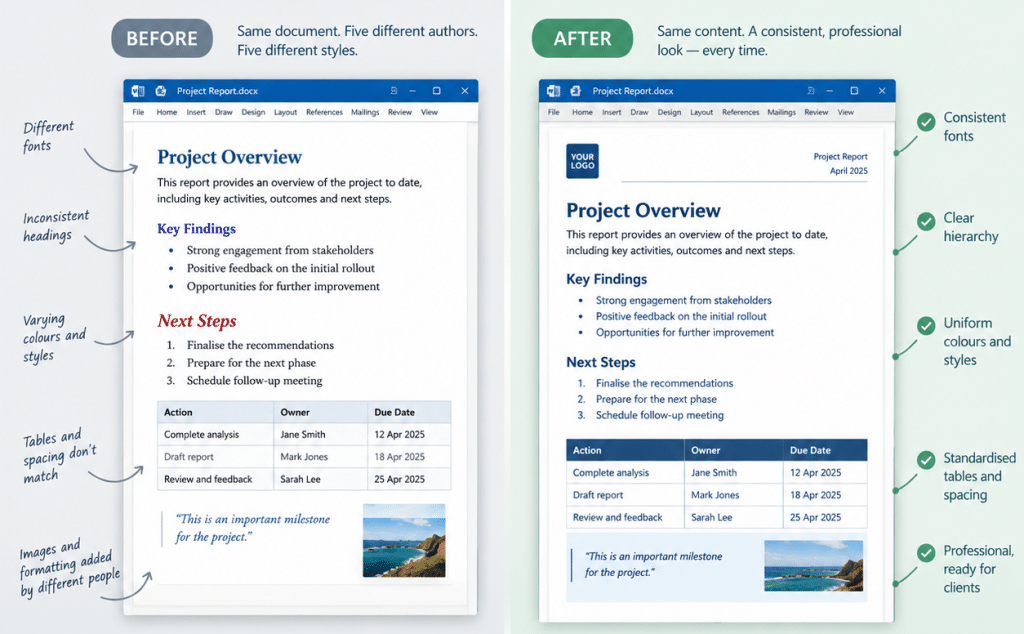
When several people contribute to the same document, keeping the formatting consistent can be a real challenge.
You’ll often see:
- Different fonts
- Different headings
- Different spacing
- Different interpretations of “make this stand out”
A few simple rules can make a big difference:
- Use styles instead of manually formatting headings and paragraphs.
- Set up the template first so everyone starts with the same fonts, colours, spacing and layouts.
- Avoid formatting by eye. If everyone makes their own adjustments, consistency quickly disappears.
- Use predefined layouts and components for things like tables, images, captions, callouts and headings.
The goal isn’t to stop people editing documents. It’s to give them enough structure that they can edit freely without accidentally redesigning the document every time they touch it.
There are also more advanced ways to keep formatting under control, such as defining preset paste options, setting a default font, and limiting the available text styles. These small but powerful controls can help stop off-brand formatting from creeping into the document in the first place.
That’s where a well-built Word template really earns its keep. For consultancies and professional services teams, it can make collaboration easier, give authors more freedom to work within a clear structure, and help ensure the finished document remains consistent and professional – no matter how many people contribute.


